Adjustments, filters, and generators.
Organized into three menus: Color, Filter, and Generate. Parametrized dialogs give live preview before committing. Many repeatable effect operations are also available through the Scripting API.
 Auto Levels
Automatically stretches the tonal range of the active layer to use the full 0–255 range. One-click instant improvement for many photos.
 Desaturate
Converts the layer to grayscale using perceptual luminance weighting (BT.601: 0.299R + 0.587G + 0.114B). Preserves alpha.
 Invert Colors
Inverts all RGB channels (255 − value). Alpha is untouched. Useful for creating negatives or inverting masks.
 Invert Alpha
Inverts only the alpha channel. RGB values are untouched. Useful for flipping transparency masks.
 Sepia Tone
Applies a classic warm sepia tone. Desaturates and tints toward brown-gold for a vintage photographic look.
 Brightness / Contrast
Adjust overall luminosity and tonal range. Live preview dialog. Classic linear brightness/contrast controls.
 Curves
Full per-channel tonal curve editor. Drag control points to remap input/output values. Supports RGB composite and individual R, G, B curves.
 Exposure
Adjusts exposure in EV stops. +1 EV = double the light. Works well for underexposed photos or pulling back highlights.
 Highlights / Shadows
Independently adjust the bright and dark tonal regions. Recover detail in highlights without affecting shadows and vice versa.
 Hue / Saturation
Shift hue globally, boost or drain saturation, and lighten or darken. All in one dialog. GPU-accelerated for instant preview.
 Levels
Set input black/white points and gamma correction. Clamp and stretch the tonal range with precise numeric or slider control.
 Temperature / Tint
Adjust color temperature (warm/cool) and magenta/green tint. Primary controls for white balance correction.
ThresholdConverts the layer to black and white by applying a hard cutoff. Pixels above threshold become white; below become black.
PosterizeReduces the number of distinct tonal levels per channel, creating a bold flat-color poster effect.
Color BalanceAdjusts the balance of color in shadows, midtones, and highlights independently using cyan/red, magenta/green, yellow/blue sliders.
Gradient MapMaps image luminosity to a color gradient. Dark tones map to the first color, bright tones to the last. Great for duotones and stylized looks.
Black & WhiteConverts to grayscale with individual per-channel weighting. Adjust how much R, G, or B contributes to the final luminance.
VibranceBoosts saturation while protecting already-saturated colors. Primarily affects muted and skin-tone colors, avoiding oversaturation.
 Gaussian Blur
Mathematically precise Gaussian blur. GPU-accelerated at large radii. Essential for soft light and depth-of-field effects.
 Bokeh Blur
Circular aperture blur simulating optical lens bokeh. More correct for lens-based blur than a simple Gaussian.
 Motion Blur
Directional blur that simulates camera or subject motion. Set the angle and distance of the blur streak.
 Box Blur
Fast, uniform box blur. Less smooth than Gaussian but significantly faster for large radii. Good for glow effects.
 Zoom Blur
Radial zoom blur creating the impression of fast forward motion toward a focal point. Adjustable strength and focal area.
 Sharpen
Unsharp mask sharpening. Enhances edge contrast to restore apparent detail lost to softness or compression.
 Reduce Noise
Smooths random noise while attempting to preserve edges. Useful for cleaning up high-ISO photos or scanner grain.
 Median
Replaces each pixel with the median of its neighborhood. Extremely effective at removing salt-and-pepper noise without blurring edges.
 Crystallize
Groups pixels into Voronoi cells and fills each with its average color. Creates a stained-glass or crystal shard effect.
 Dents
DentsPerlin-noise based dent/bump texture warp. Creates an irregular, organic surface distortion effect.
 Pixelate
Mosaic/pixelation effect. Divides the image into square blocks and fills each with its average color.
 Bulge / Pinch
Spherical radial distortion. Positive values push pixels outward (fisheye); negative values pull inward (pinch).
 Twist
TwistRotational swirl distortion from the image center. Rotation increases with distance, creating a characteristic spiral.
 Add Noise
Adds Gaussian (film-like) noise. Monochrome mode adds equal noise to all channels (gray grain); color mode adds independent per-channel noise.
 Glow
GlowSoft bloom/glow effect. Blurs bright areas and blends them back. Great for dreamy, ethereal looks or neon lighting.
 Vignette
Darkens the edges of the image, drawing the viewer's eye toward the center. Adjust strength and softness.
 Halftone
Renders the image through a regular grid of dots, simulating the classic halftone printing process.
 Ink
InkEdge detection + line art rendering that transforms a photo into an ink drawing. Adjustable strength and threshold.
 Oil Painting
Mode-based smoothing that simulates the blended oil paint look. Larger radius produces a more impressionistic result.
 Color Filter
Tints the image with a selected color using multiply/overlay blend. Like placing a colored gel over a photo.
 Pixel Drag
Randomly drags horizontal rows of pixels sideways, simulating corrupted digital signal or tape glitch artifacts.
 RGB Displace
Offsets R, G, and B channels independently, creating chromatic aberration or vintage VHS color fringing effects.
Local background removal
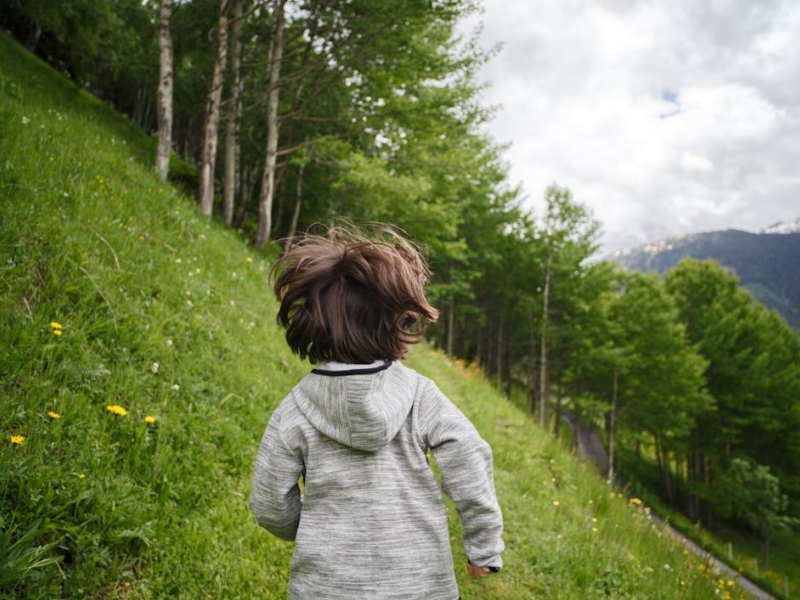
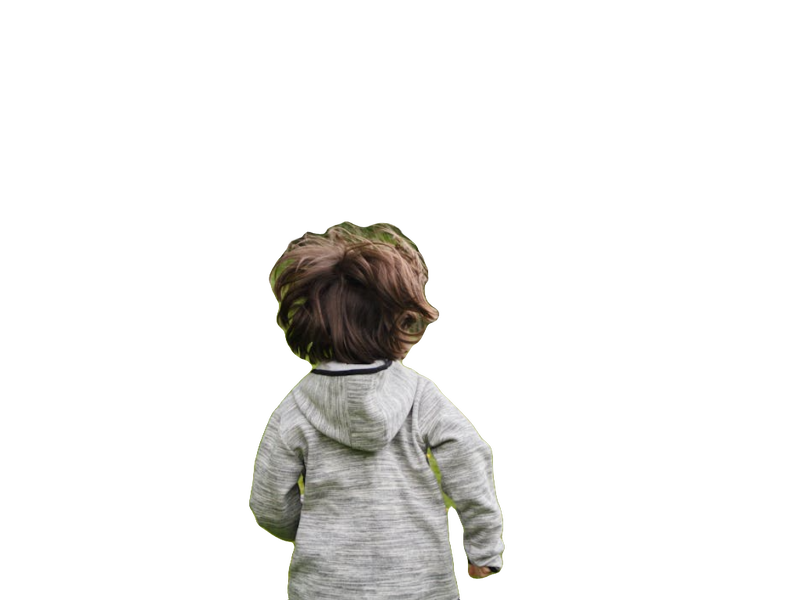
PaintFE can run a compatible background-removal model on your computer and apply its result to the active layer. It is an optional desktop utility, not part of the browser edition.
You provide an ONNX Runtime installation and a compatible ONNX model in Preferences. PaintFE runs inference locally; the application does not upload your image. Results depend on the model, source image, subject, and edge detail.
 Grid
GridRenders a configurable grid of lines over or below the layer stack. Control line color, spacing, line weight, and opacity.
 Drop Shadow
Generates a drop shadow beneath the active layer’s content based on its alpha channel. Non-destructive; placed on a new layer below.
 Outline
Creates an outline/stroke around the edges of an alpha-channeled layer. Choose outline size, color, and rendering position.
 Contours
Traces luminosity or alpha contour lines across the image, creating an isoline topographic map effect or illustrative line-art style.
Automate repeatable effects
The scripting API exposes many common effect operations, including
Scripting API: call apply_blur(3.0),
apply_vignette(0.5, 0.3), apply_hsl(30.0, 20.0, 0.0)
and so on. Chain them, loop them, run them on folders via CLI.